
Make your first video
Pick a video type, set the look, voice and music, describe your idea in one message, approve the storyboard, and export the finished video.
From one sentence to a finished, narrated video: here's the whole path.
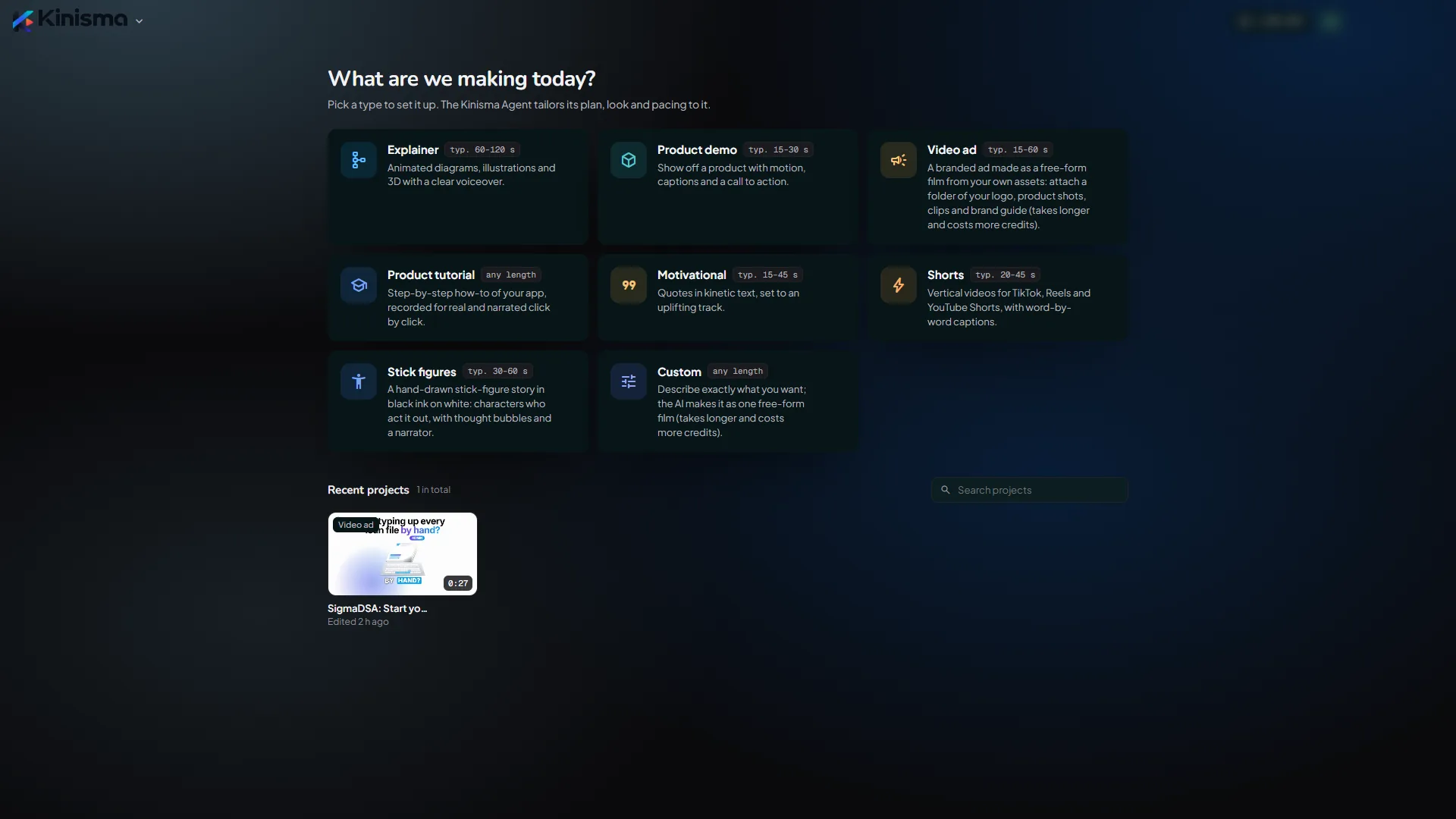
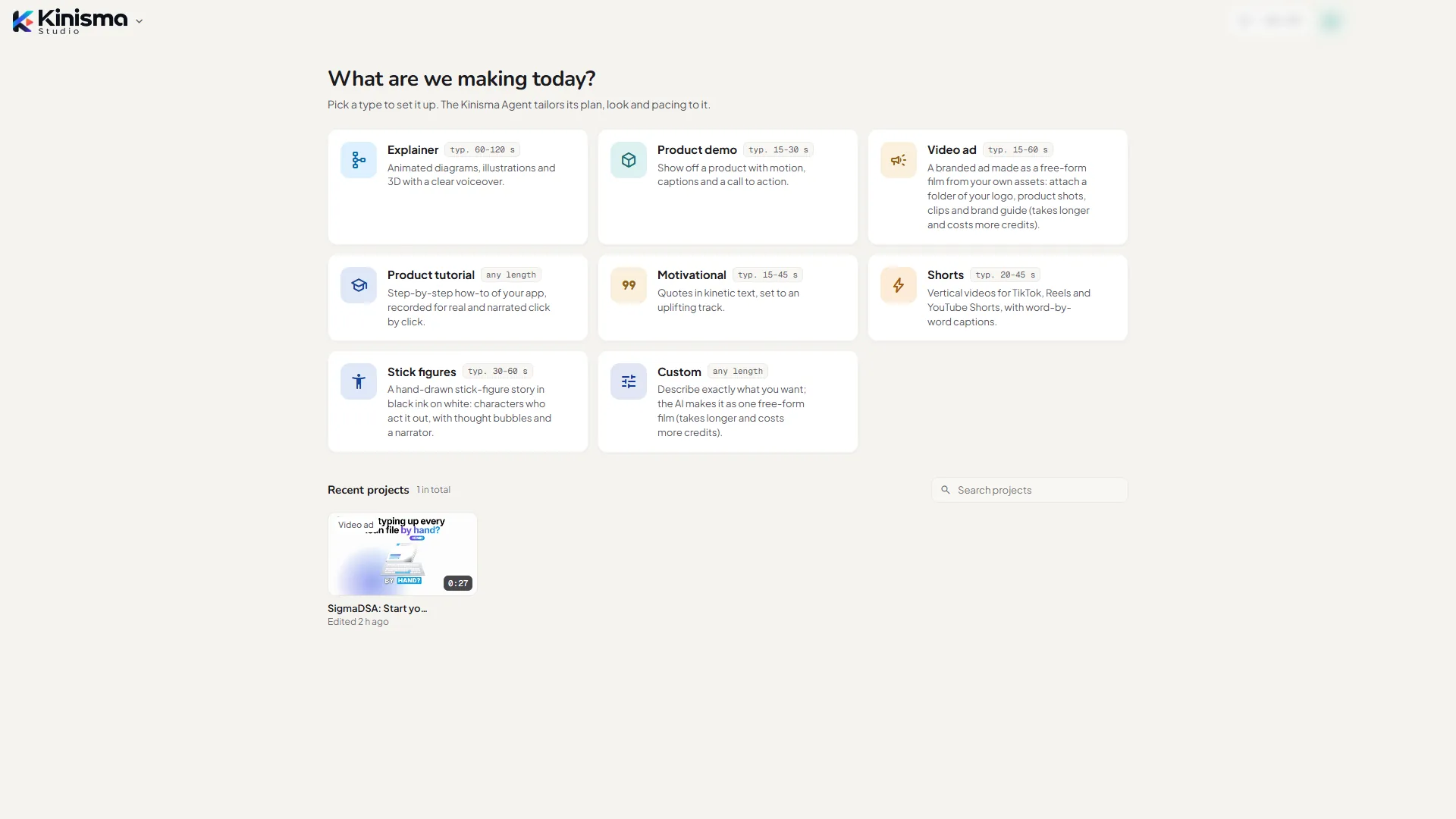
1. Pick a video type
On Home, click the card for what you're making: Explainer, Product demo, Product tutorial, Motivational, Shorts or Custom. The type tailors the agent's plan, look and pacing. Not sure? See Video types.
2. Set the look, voice and music
The New video window opens with your default settings. Change what you like:
- Look: a Studio theme, My brand (your website's colours, fonts and logo) or Designed by AI.
- Voice: the narrator and language. Click ▶ to hear a voice.
- Length, Depth and Speed.
- Music: composed by AI, a free library track, or none.
- Aspect ratio: 16:9, 9:16 or 1:1.
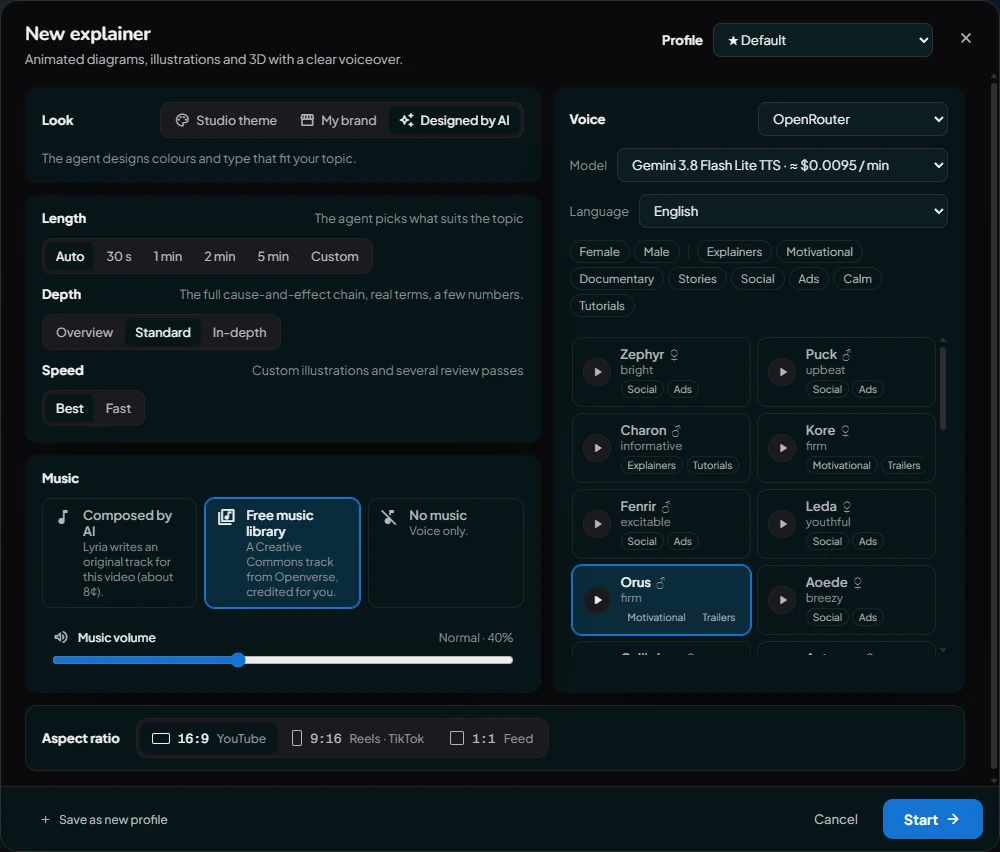
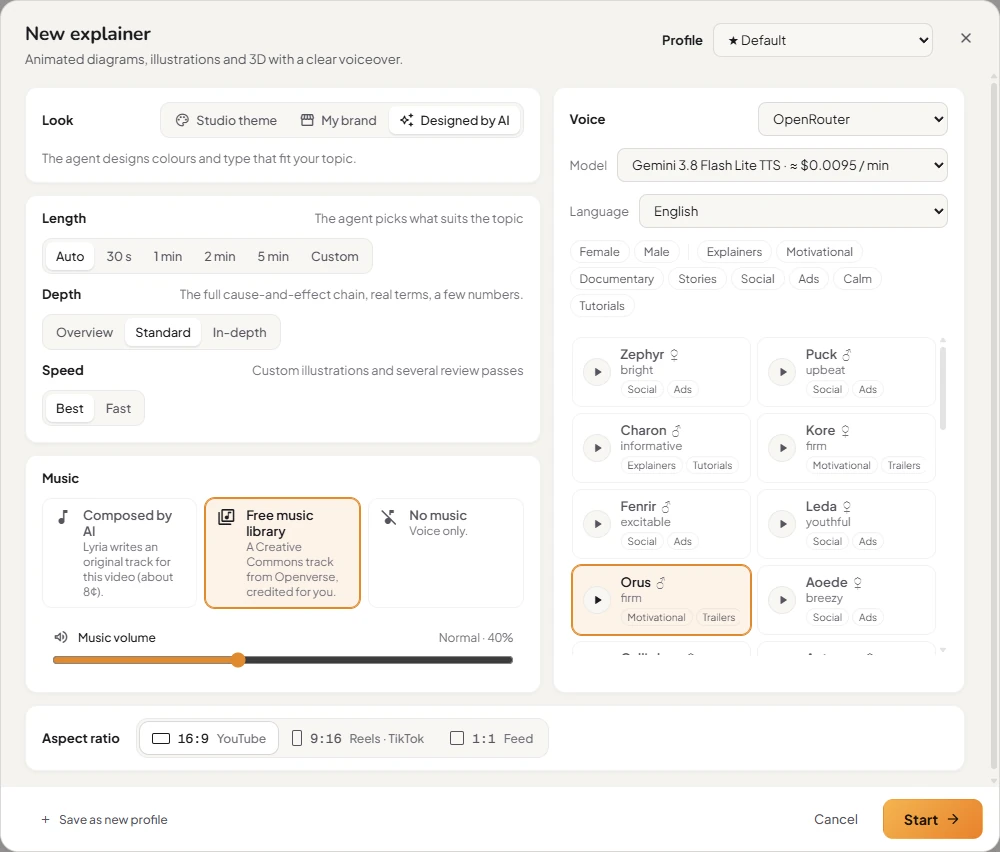
Click Start →. More in Video options.
3. Describe your video
The chat opens. A new project starts in Brainstorm mode, where you can talk the idea through and nothing is made yet. When you know what you want:
- Switch the box to Make video.
- Describe the video in a sentence or two. For example: "A one-minute explainer on how noise-cancelling headphones work."
- Press Enter.
The Kinisma Agent researches the topic, writes the script and designs the scenes. You can watch its progress in the chat.
4. Approve the storyboard
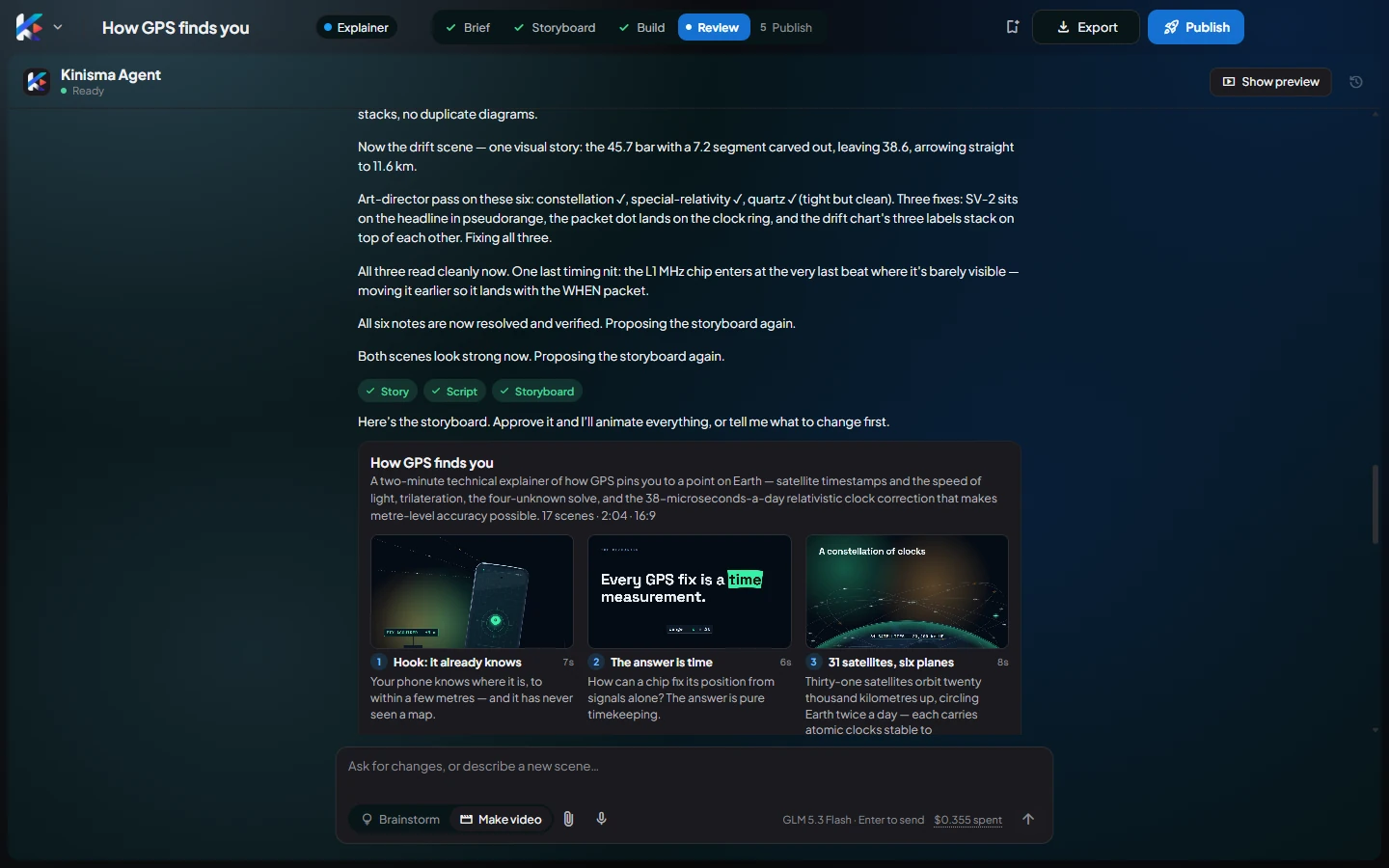
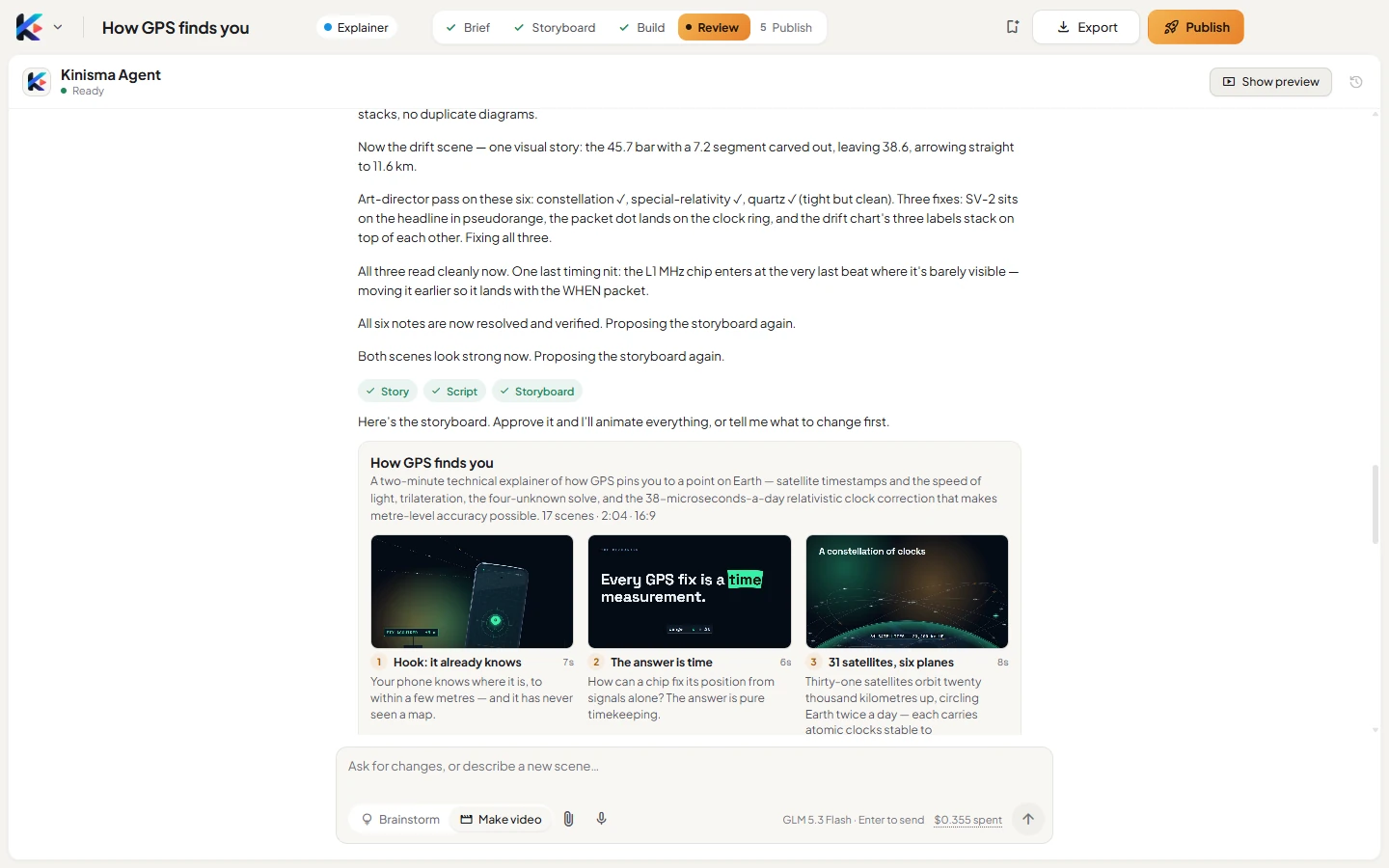
After a few minutes the agent shows a storyboard: every scene with its title, length, narration and a sketch. Click a panel to see it large.
- Happy with it? Click Approve storyboard.
- Want changes? Say so in the chat, for example "make it shorter" or "start with a question", and the agent revises it.
5. Watch, then tweak
The agent animates every scene, adds the narration and music, and checks its work. When it's done, the preview plays in the middle of the window. To change something, select a scene in the bar under the preview (or in Assets) and say what to change. See Work with the agent.
6. Export or publish
- Click Export to save an MP4. See Export a video.
- Click Publish to let the agent write your titles, descriptions, tags and thumbnails for YouTube, Instagram and TikTok. See The publish kit.
Questions
How long does a video take?
Planning and the storyboard usually take a few minutes; building the finished video takes a few more. A two-minute explainer is typically ready in under 15 minutes. You can keep using the app meanwhile.
How much does a video cost?
On your own OpenRouter key, a typical one-minute explainer costs about $0.25–$0.35 in AI, music included. On pay-as-you-go credits it uses about 200–250 credits (about $1–$1.25). The chat shows what this video has cost so far.
Can I change the video after it's made?
Yes. Ask for changes in plain words in the chat, for the whole video or for one scene.
Was this article helpful?