
Video types
The eight kinds of video Kinisma Studio makes (explainer, product demo, video ad, product tutorial, motivational, shorts, stick figures and custom), what each is for and how to brief it.
Each video type tells the Kinisma Agent what kind of video you want, so its plan, look and pacing fit. Pick one on Home. Every type can be made in 16:9, 9:16 or 1:1.
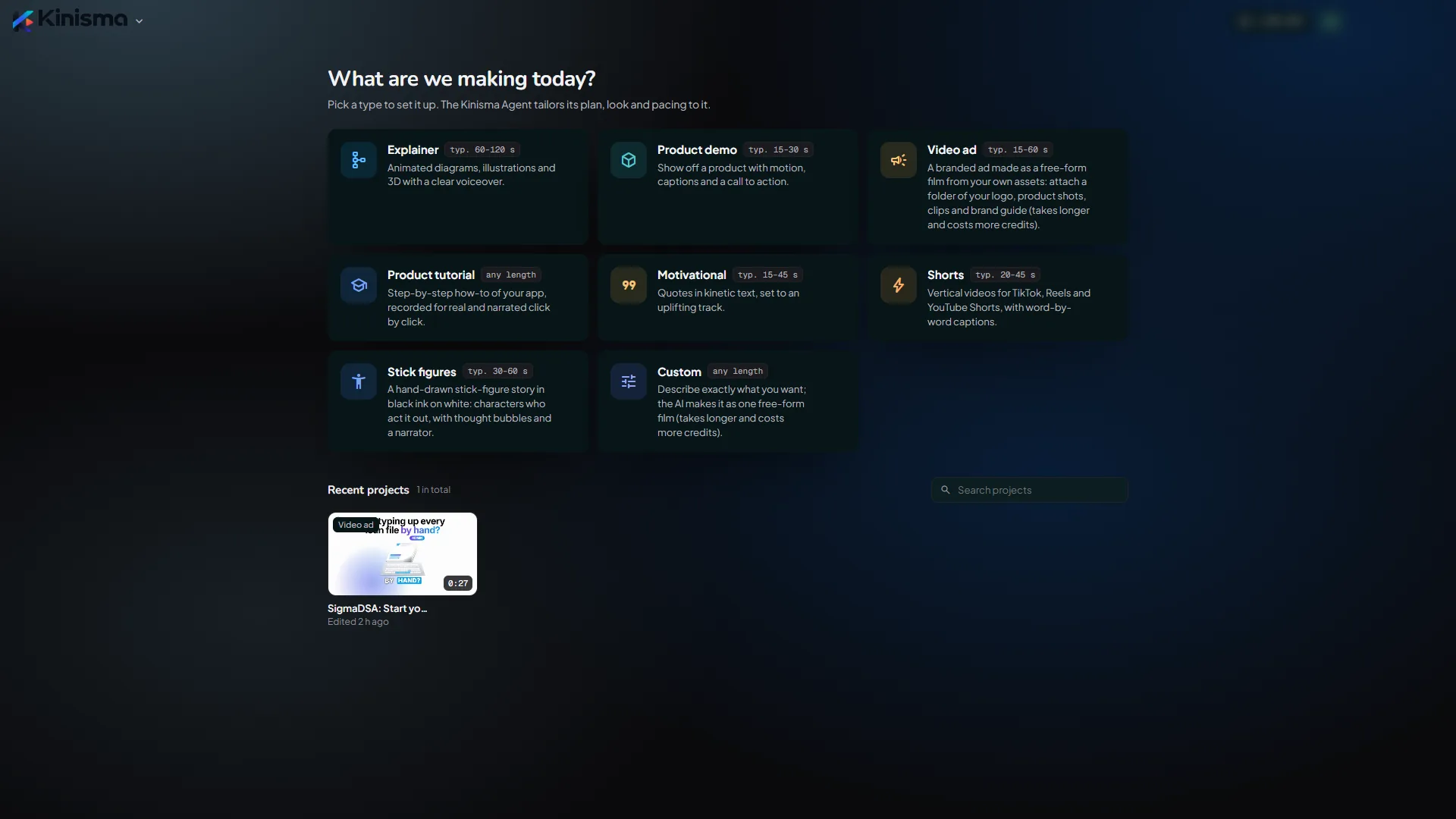
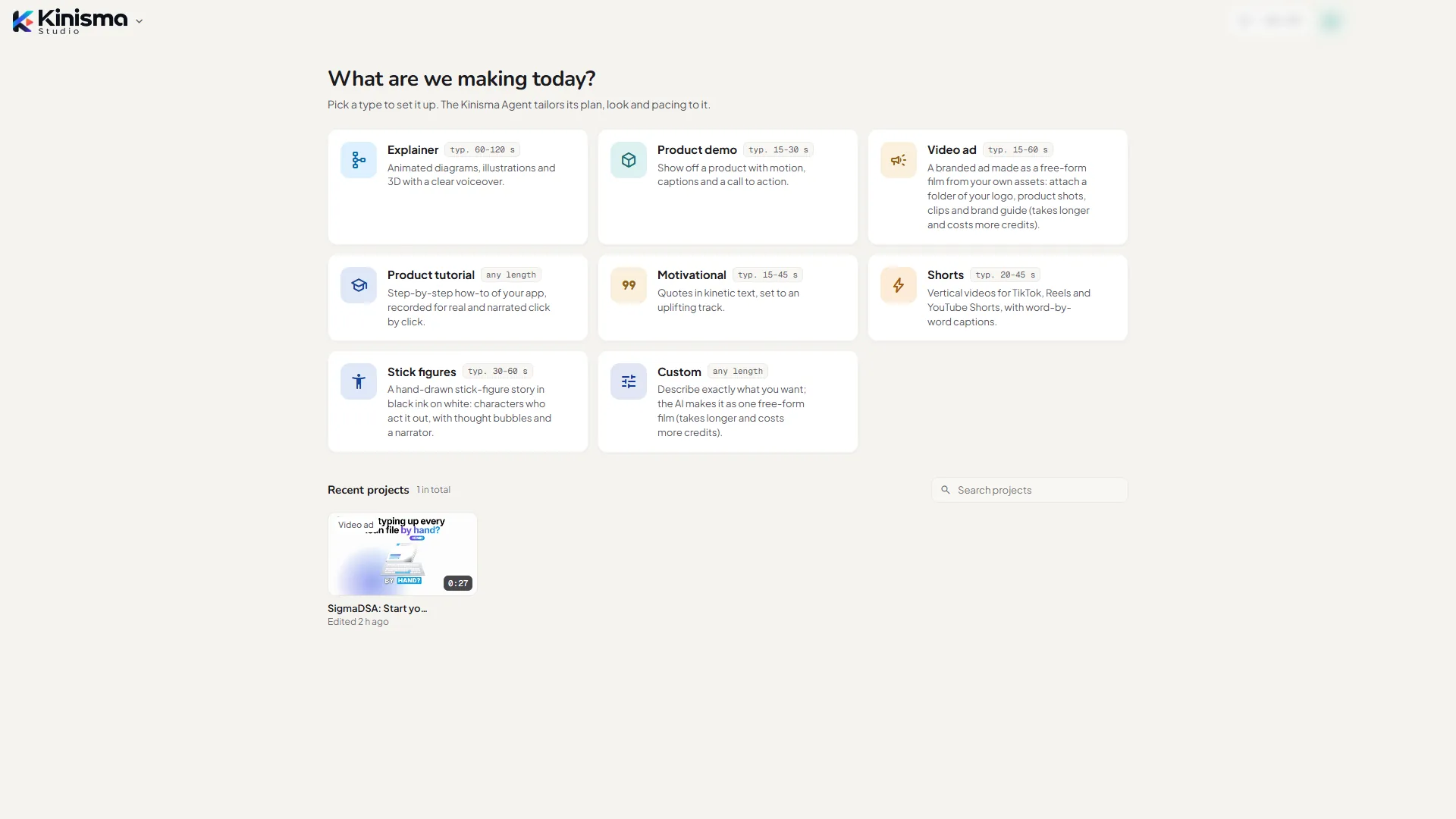
Explainer
Animated diagrams, illustrations and 3D with a clear voiceover. Typically 1–2 minutes, 16:9.
For explaining how something works: a technology, a process, a scientific idea. The agent researches the topic, writes a script that builds understanding step by step, and draws custom diagrams and illustrations. Set Depth to match your audience, from Overview (no formulas) to In-depth (equations and graphs).
Brief example: "How noise-cancelling headphones work, for curious non-engineers."
Product demo
Show off a product with motion, captions and a call to action. Typically 15–60 seconds, 16:9.
For promoting a product, website or app. Give the agent your product's address. It reads the site, takes screenshots and short recordings of the real product, and builds a story: the problem, your product, its best features, proof, and a call to action. It only claims what your site says.
Brief example: "A 30-second promo for https://yourproduct.com aimed at small agencies."
Video ad
A branded ad made as one film from your own assets. Typically 15–60 seconds, 9:16.
For a paid or social ad. Attach a folder with your logo, product shots, clips and brand guide, and say what the ad sells and to whom. The agent takes your colours, fonts and logo from your files and builds the ad around your own shots: a hook, two or three benefits, proof, your offer and an end card with your call to action. It only uses claims, prices and quotes from your material. On Best quality it's made in film mode, so it takes longer and uses more credits. See Video ads.
Brief example: "Ad for our loan app for DSAs; 15-day trial for ₹99" (with your brand folder attached).
Product tutorial
Step-by-step how-to of your app, recorded for real and narrated click by click. Any length, 16:9.
For teaching one task in your app. The agent records itself using your real product and narrates every click, with chapter cards, zooms and labels. For screens behind a login, it asks you to sign in once. See Product demos and tutorials.
Brief example: "How to import contacts from a CSV in https://app.yourproduct.com."
Motivational
Quotes in kinetic text, set to an uplifting track. Typically under a minute, 9:16.
Bold animated words, strong pacing and music, for social feeds and channels.
Brief example: "Monday motivation about starting before you feel ready."
Shorts
Vertical videos for TikTok, Reels and YouTube Shorts, with word-by-word captions. Typically 20–45 seconds, 9:16.
Fast hooks, captions timed to every word, and layouts that keep text clear of each app's buttons.
Brief example: "Why your brain loves before/after videos, for a psychology Shorts channel."
Stick figures
A hand-drawn stick-figure story in black ink on white. Typically 30–60 seconds, 16:9.
For a message that lands better as a short story. Characters act it out with expressions, poses, thought and speech bubbles and props, and a narrator tells it. See Stick figures.
Brief example: "Sam buys a tiny plant to be more organised, forgets it while working late, and panics when it droops."
Custom
Describe exactly what you want; the AI makes it as one free-form film. Any length, 16:9.
No assumptions: describe the format, the style and the length yourself, and attach any files you want used. On Best quality a team of AI specialists makes it in film mode: you approve a plan with a style frame, then it's built as one continuous film. It takes longer and uses more credits than other types. Fast quality uses the quicker scene-by-scene build.
Kids story was retired in version 0.2.0. Projects made with it still open.
Questions
Can I change a video's type later?
No, the type is set when you create the project. You can still ask for any style in the chat, and Custom lets you describe anything.
Which type should I pick for a YouTube video about my app?
To show what it does and why it's worth it, a Product demo. To teach people how to do something in it, a Product tutorial. For a short paid ad built from your own logo and shots, a Video ad.
Where did Kids story go?
It was retired in version 0.2.0. Projects you made with it still open. For a story told with characters, try Stick figures or Custom.
Was this article helpful?